Building a random colour generator with HTML, CSS & JS
Recently, for a project, I needed to test a bunch of colours to make sure the font colour & design remained legible across a few different backgrounds.
I thought it would be cool to quickly put together a colour generator which could do a couple things:
Generate a random hex value (duh…) -> Have a button to easily copy that value -> Generate another random colour
That’s it really. Nice & easy.
I could, of course, have used something like Coolors - which is great (especially if you are looking for colour palettes) - but decided to just build one myself - make it even easier to use & take you along through the process of putting it together.
1. Generate a random hex value
First off… we need to create our files. So, create a folder & add in index.html, main.css, main.js… that’s all you need. If you want a one-page setup - you can just have all the below in one index.html file with <style> (css) & <script> (js) tags.
This article on CSS-Tricks made that bit really easy. With a great starter template for all three files. You can check it out via the link - but if you just want the code - here it is (with added structure for HTML).
index.html
<!doctype html>
<html lang="en">
  <head>
    <meta charset="UTF-8" />
    <meta name="viewport" content="width=device-width, initial-scale=1.0" />
    <title>Edit this to give your project a title</title>
    <link rel="stylesheet" type="text/css" href="main.css" />
  </head>
  <body>
    <h1>
      <button id="genNew">Generate New Random Color</button>
      <span id="color"></span>
    </h1>
    <script src="main.js"></script>
  </body>
</html>
main.css
body {
  height: 100vh;
  margin: 0;
  padding: 1rem;
  display: grid;
  place-items: center;
  font-family: system-ui;
}
h1 {
  background: white;
  padding: 1rem 2rem;
  text-align: center;
}
span {
  display: block;
  padding: 1rem;
  font-size: 1rem;
  font-weight: normal;
  font-family: monospace;
}
main.js
const setBg = () => {
  const randomColor = Math.floor(Math.random() * 16777215).toString(16);
  document.body.style.backgroundColor = "#" + randomColor;
  color.innerHTML = "#" + randomColor;
};

genNew.addEventListener("click", setBg);
setBg();
This will give you a great starting point - which should look something like this…
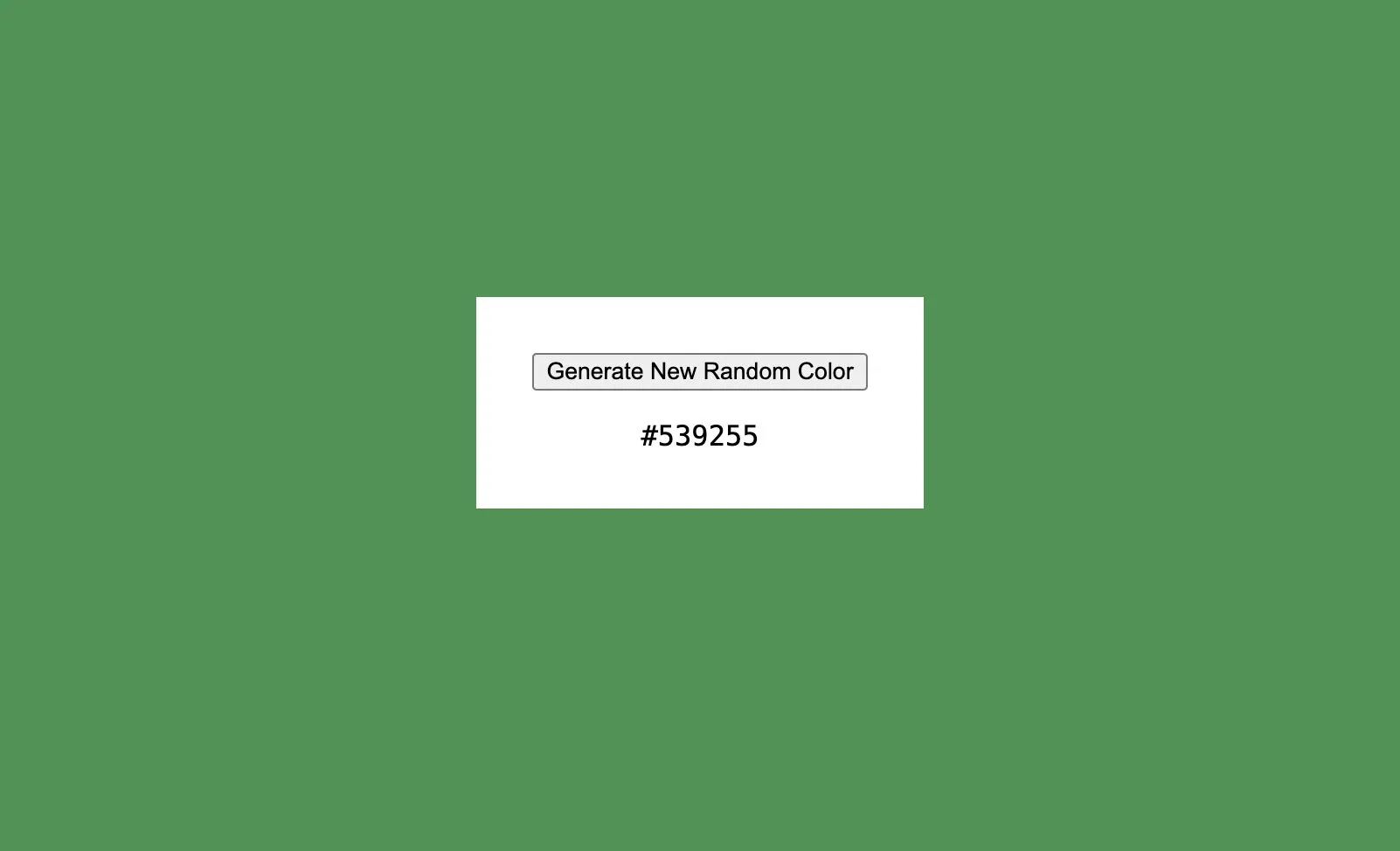
This will give you a random colour generator. Now to part 2. Have a button to easily copy a value…
2. Have a button to easily copy the value generated
Now this is a bit more complicated. First off, you need to add another button to your index.html & style it as you like. For now this will do:
index.html - new
<!doctype html>
<html lang="en">
  <head>
    <meta charset="UTF-8" />
    <meta name="viewport" content="width=device-width, initial-scale=1.0" />
    <title>Edit this to give your project a title</title>
    <link rel="stylesheet" type="text/css" href="main.css" />
  </head>
  <body>
    <h1>
      <button id="genNew">Generate New Random Color</button>
      <!-- The New Button-->
      <button onclick="copySpanToClipboard()">Copy Hex</button>
      <!-- /The New Button-->
      <span id="color"></span>
    </h1>
    <script src="main.js"></script>
  </body>
</html>
As we haven’t written the copySpanToClipboard function yet - at the moment the button will be there, but won’t do anything when clicked. Now, the fun stuff - creating the ‘copy’ function.
There are more complicated ways of doing this - setting the generated value into a textbox/input and using a JS copy function. However, we will use a small workaround (with a slightly deprecated method), as we just want to copy the generated value.
document.execCommand("copy");
Essentially what this will do is make sure the selection is clear, select the text within a selected range (in this case the hex value element), copy it to the clipboard, and then deselect it.
To do this - add the following to your main.js file:
main.js - add below your current code
function copySpanToClipboard() {
  var range = document.createRange();
  range.selectNode(document.getElementById("color"));
  window.getSelection().removeAllRanges(); // clear current selection
  window.getSelection().addRange(range); // to select text
  document.execCommand("copy");
  window.getSelection().removeAllRanges(); // to deselect
}
And that’s it! If you completed all the steps it should all be working. Try generating a value, click the copy button - and paste the contents somewhere… Voila! Generate -> Copy -> Generate again.
3. Quick Fix
You may have noticed that sometimes, when you click the colour generator button, the background doesn’t change. If you look at the hex value when this happens - the value is a 5-digit one - meaning it isn’t recognised as a colour, hence no change to background.
To fix this we can use .padStart - just add it to the end of the randomColor line in your main.js file:
const randomColor = Math.floor(Math.random() * 16777215)
  .toString(16)
  .padStart(6, "0");
This pads any short values with leading zeros, so every value is a full 6-digit hex - fixing the bug.
That’s it.
You can add your own styling / amend the wording - but you have your own little tool - a random colour generator!
You can check mine out here - colours.alisdair.xyz